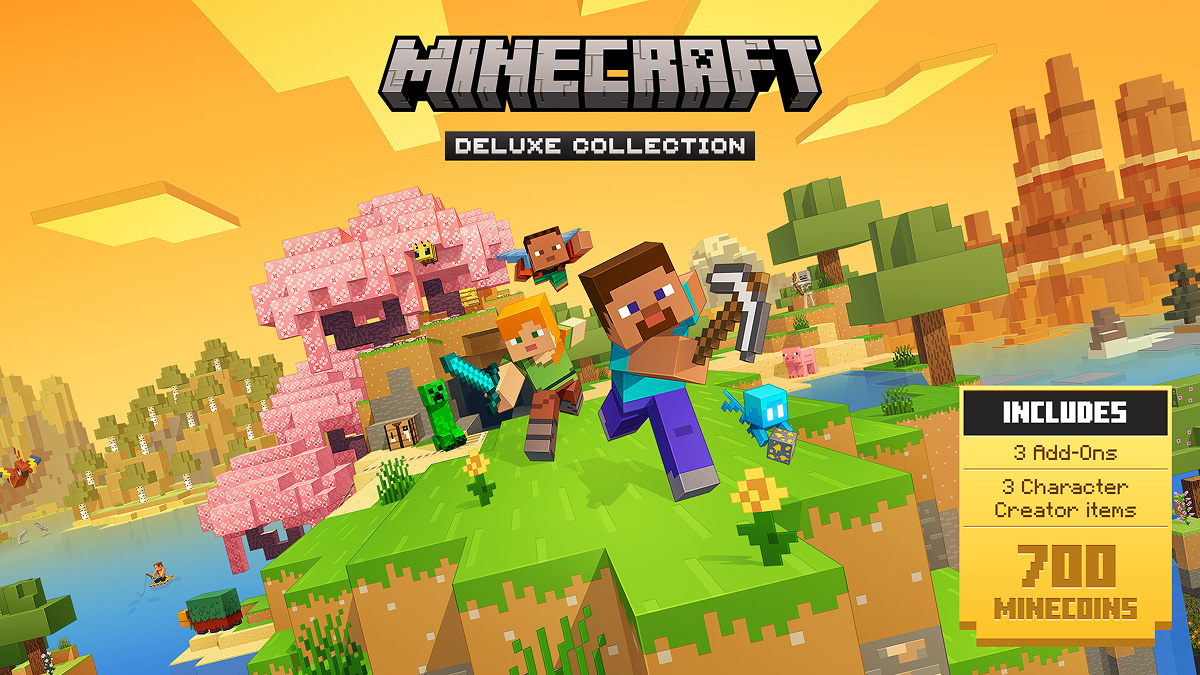
At a glance
- Genre
- Survival and building sandbox
- Platform
- PC (Java and Bedrock), Xbox, PlayStation, Nintendo Switch, Android, iOS
- Pricing model
- One-time purchase; Minecoins and Marketplace content are optional
- Current version
- Java 26.3 / Bedrock 26.50, Wilderness Bound (15 September 2026)
- Turkish support
- Yes, selectable in the in-game language settings
Where Minecraft stands in 2026
#Minecraft is a game about gathering resources and building in an endless world made of cubes. Nothing forces a single goal on you: you can beat the Ender Dragon, or simply build a cozy house and run a farm. That freedom can be confusing in the first hours, so this guide gives you a solid order to follow.
Since 2026 version numbers are year-based, for example 26.3. The latest big update, Wilderness Bound, arrived on 15 September 2026 as Java 26.3 and Bedrock 26.50. It added the dappled forest biome, poplar wood, stairs and slabs for wool and concrete, cushions, straw beds and an abandoned camp structure, and it improved maps. The next version (26.4) is currently in snapshot testing.
Before you start: Java or Bedrock?
#On Windows the official store usually sells Java and Bedrock together, so one payment lets you install both. Consoles and phones only have Bedrock. The differences:
| Java Edition | Bedrock Edition | |
|---|---|---|
| Platform | Windows, macOS, Linux | Windows, Xbox, PlayStation, Switch, Android, iOS |
| Mod support | A huge world of mods and shaders | Limited; Marketplace content and add-on packs |
| Playing with friends | Java servers and servers you host yourself | Cross-play between Bedrock devices, Realms |
| Best for | PC players who want mods and custom servers | Phone, console or mixed-device friend groups |
Short advice: if your friends are on phones or consoles, pick Bedrock. If you are on PC and want mods, pick Java. Java and Bedrock players normally cannot share a server, so agree on one edition with your friends first.
Price (USD list on minecraft.wiki): Bedrock is 6.99 dollars on mobile, 19.99 on Xbox and PlayStation, and 29.99 on Windows and Switch. Your local price is shown in the store, so check there. Java system requirements: Windows 10 64-bit or newer, at least a 4-core processor (Core i3-10100 or Ryzen 3 3100 class) and a Vulkan 1.3 graphics card with at least 2 GB of memory (GTX 950 or RX 460 class). For comfortable play, a Core i5-12400 and RTX 2060 class machine is recommended. Mods raise the needs.
Your first night: the first 15 minutes, step by step
#The game starts in daylight. A full day and night lasts about 20 real minutes, and when it gets dark hostile mobs such as zombies, skeletons, spiders and creepers spawn. Your goal is a simple shelter before darkness falls.
- Collect wood
Punch a tree and collect at least 10-12 logs, then turn the logs into planks.
- Build a crafting table
Make a crafting table from 4 planks. Use it to craft a wooden pickaxe, axe and sword.
- Find stone and coal
Mine cobblestone with the wooden pickaxe; take at least 8 pieces for a stone pickaxe and a furnace. Use coal for both fuel and torches.
- Find food
Hunt cows, pigs or chickens and cook the raw meat in the furnace. If you get wool from sheep, 3 wool and 3 planks make a bed.
- Make a shelter
As evening comes, dig a small room into a hillside and seal the entrance with blocks. Put torches inside; mobs do not spawn in lit areas.
- Get through the night
If you have a bed, sleep to skip the night, and your spawn point moves to the bed. Without a bed, dig underground: day and night make no difference there as long as you carry torches.
What to do in the first week
#- Build a permanent home with chests beside it and a small plot for wheat or carrots.
- Find iron: in caves and mountain sides it looks like light-colored specks inside stone. Smelt it into ingots and craft an iron pickaxe, sword and armor.
- Make a bucket (3 iron ingots). It carries water and puts out lava dangers, so it can save your life.
- Craft a shield; it reduces creeper blasts and arrow damage.
- Write down the coordinates of your home and key places; it is the easiest way not to get lost in caves.
Progression path: goal by goal
#| Stage | Goal | Note |
|---|---|---|
| 1. Survive | Home, food, iron tools | First 2-3 game days |
| 2. Enchanting | Diamond pickaxe, obsidian, enchanting table | Obsidian can only be mined with a diamond pickaxe |
| 3. Nether | Nether portal, fortress and blaze rods | Go armored and with plenty of food |
| 4. End preparation | Ender pearls and Eyes of Ender | An ender pearl and blaze powder are combined |
| 5. The Dragon | Find the stronghold, open the End portal, Ender Dragon | Bring arrows, a sword and blocks |
| 6. Endgame | End cities, Elytra, your own big build | The goal is up to you |
A Nether portal needs at least 10 obsidian, which you can make with a water bucket and lava. Beating the dragon is not mandatory, but entering the Nether makes you stronger. For a beginner, the first big goal should be an enchanting table.
Resources and storage
#- Food: Plant wheat, carrots and potatoes; raise cows, sheep and chickens. You can breed animals with the right food.
- Chests: Use separate chests for ores, food, building blocks and gear, and label them with signs.
- Experience (XP): You gain XP by mining, smelting and killing mobs; spend it on enchanting and repairs.
- Backups: Copy your important world now and then, and always before a version update.
The rule is simple: if you cannot find something where you need it, your storage is messy. Tidy storage can easily double your pace.
Tools, armor and ore layers
#Power in Minecraft grows in material tiers. Each tier opens the next ore: a stone pickaxe mines iron, an iron pickaxe mines diamond, and a diamond pickaxe mines obsidian. The table shows the same order with durability (pickaxe durability).
| Material | Pickaxe durability | Full armor points | When? |
|---|---|---|---|
| Wood | 59 | None | First minutes only |
| Stone | 131 | None | To mine iron |
| Iron | 250 | 15 | First real armor and the bucket |
| Diamond | 1561 | 20 | Obsidian and the enchanting table |
| Netherite | 2031 | 20 (+ extra toughness) | Upgrade diamond gear with an ingot from the Nether |
Ores concentrate at different heights (Y coordinate). Diamond generates between Y 16 and Y -63 and is most common around Y -58 and -59 (minecraft.wiki). Other values below are approximate and may shift slightly between versions.
| Ore | Most common height (approx.) | Use |
|---|---|---|
| Coal | Around Y 96 | Fuel and torches |
| Iron | Around Y 16 and in mountains | Tools, armor, bucket |
| Gold | Around Y -16 | Piglin trading and powered rails |
| Redstone | Around Y -59 | Machines and circuits |
| Diamond | Y -58 and -59 | Best tools and armor |
| Ancient debris (Nether) | Around Y 15 | Netherite ingots |
The Nether and End journey
#The Nether is a fiery underworld where one step equals about eight steps in the overworld, so portals are a shortcut to faraway places. A Nether portal is a vertical obsidian frame; the smallest is 4x5, corners are not required, so 10 obsidian is the minimum. The largest portal can be 23x23 (minecraft.wiki).
- Collect obsidian
Pour water onto lava to make obsidian and break it with a diamond pickaxe; collect 10 pieces.
- Build and light the portal
Stand a frame 4 wide and 5 tall, then light the inside with flint and steel.
- Enter the Nether prepared
Bring iron armor, a sword, arrows, non-flammable blocks, a water bucket and plenty of food. A piece of gold armor keeps piglins from attacking you.
- Find the fortress
Hunt Blazes in a Nether fortress for Blaze rods; rods make Blaze powder.
- Collect Ender pearls
Hunt Endermen. An Ender pearl plus Blaze powder makes an Eye of Ender.
- Find the stronghold and enter the End
Throw an Eye of Ender; follow the direction it flies to reach the underground stronghold. Place the eyes in the portal frame and jump into the End.
In the End, the Ender Dragon and the crystals that heal it wait for you. Destroy the crystals with arrows, then fight the dragon in melee. After the dragon falls, the exit portal opens and a gateway takes you to the outer End islands, where End cities, the Elytra and shulker boxes are found.
Enchanting, villager trading and farming basics
#The enchanting table adds permanent power to items. At a table surrounded by bookshelves (15 bookshelves around it with a one-block gap) you reach the highest level. Enchanting needs experience levels and lapis lazuli.
- Collect XP and lapis
Gain XP from mining, smelting and mobs, and mine lapis underground.
- Arrange bookshelves
Place bookshelves in a ring around the table; each one improves the enchanting options.
- Choose the item and enchant
Put a weapon, armor or pickaxe in the table, add the lapis and click an option.
- Open villager trading
A workstation block (for example a lectern for a librarian) gives a villager a profession. A villager with a profession trades items for emeralds.
- Lock in good trades
As you trade, the villager levels up and opens new trades. If you cure a zombie villager, prices drop.
- Wheat: planted with seeds, grows fast next to water; makes bread and animal feed.
- Animal farm: cows, sheep and chickens breed with the right food; they give steady meat, wool and milk.
- Villager trading: emeralds are the safest way to buy books with strong enchantments such as Mending.
Multiplayer, Realms and safe mod setup
#There are three ways to play with friends: run your own server, join a public server, or use Realms, the subscription server hosted by Mojang. The prices below are the US dollar list on the official Minecraft page; the Turkish price is shown separately on the page.
| Plan | Monthly price | Players at once |
|---|---|---|
| Realms (Bedrock) | US$3.99 | You and 2 players |
| Realms Plus (Bedrock) | US$7.99 | You and 10 players |
| Realms (Java) | US$7.99 | You and 10 players |
The first Realms account gets a 30-day free trial. Java Realms is open only to Java players, while Bedrock Realms is open to all Bedrock devices. On Java you can also use mods; mods are files that change the game and should only come from trusted sources.
- Install the official launcher
Run Java once with the Minecraft Launcher and confirm the game opens.
- Pick a mod loader
Fabric, NeoForge and Quilt are well-known open-source loaders. Read on the mod page which loader and which version the mod needs.
- Download the mod from a trusted place
Use only well-known mod repositories such as Modrinth or CurseForge. A mod file should end in .jar; delete it if it is an .exe.
- Drop it in the mods folder
Put the file in the game's mods folder, choose the loader profile in the launcher and start the game.
- Back up first
If a modded world breaks, you can restore the old world from the backup.
Common beginner mistakes
#- Wandering through a cave without torches. Always carry torches and a water bucket.
- Leaving your items behind when you die. Items drop at the death spot and vanish after a while; note the coordinates and return quickly, and keep valuables in a chest.
- Mining carelessly next to a lava lake. Keep water nearby.
- Walking up to a creeper. Hit it from range or back away when you hear it hiss.
- Updating a world without a backup, or ruining it with cheats.
Account safety and parental controls
#Minecraft is now played with a Microsoft account. For a child account, Microsoft's family settings let you set limits on chat, multiplayer and purchases; menu names can change, so check the setting yourself on the account web page.
- For children prefer a closed server with people they know, or Realms; open public servers carry chat risks.
- Download mods and texture packs only from well-known big sites (CurseForge, Modrinth). A mod file ending in .exe can be malware.
- Sites promising free Minecoins or free accounts are scams that steal your account details.
- Turn on two-step verification on your Microsoft account.
Frequently asked questions
#Do I need to buy Java and Bedrock together?
On PC they are usually sold together and you get both. Phones and consoles only have Bedrock.
Can I play alone?
Yes. A single-player world needs no internet; servers and Realms do.
Which version should I play?
Normally the latest stable version. If you use mods, install the version the mod supports.
How do I install mods?
On Java you install a loader such as Fabric or NeoForge, then download mods from CurseForge or Modrinth. On Bedrock you get add-on packs from the Marketplace.
Can I continue without beating the dragon?
Yes, it is not mandatory. Items such as the Elytra are in the End, but that is a choice.
Can I move my world to another device?
Within the same edition you can export and import it. Java and Bedrock worlds are not directly compatible with each other.
Sources
This guide was written for this site after reviewing the sources below.
- Minecraft Wiki: Java Edition 26.3minecraft.wiki
- Minecraft Wiki: Bedrock Editionminecraft.wiki
- Minecraft Wiki: Wilderness Boundminecraft.wiki
- Minecraft Wiki: Daylight cycleminecraft.wiki
- Minecraft Wiki: Nether portalminecraft.wiki
- Minecraft Wiki: Diamond Oreminecraft.wiki
- Minecraft Wiki: Realmsminecraft.wiki
- Minecraft.net: Realms and Realms Plusminecraft.net
Free resources for more
External sites; their content belongs to their owners.
- Minecraft Yardım Merkezi — Minecraft (official)
Official publisher page for Minecraft: support, announcements or game information. Language: English.
- Minecraft Wiki: Tutorials — Minecraft (beginner guide)
Free guide for newcomers to Minecraft. Language: English.
- Minecraft Wiki — Minecraft (wiki)
Community wiki for Minecraft: items, mechanics and detailed pages. Language: English.
- PCGamingWiki (wiki)
Fixes, settings, display and control details and compatibility notes for PC games. Language: English.
- HowLongToBeat (tool)
Shows the average time to finish games based on player-submitted data. Language: English.
- ProtonDB (tool)
Lists how well Windows games run on Linux (through Proton) using player reports. Language: English.
- Can You RUN It (tool)
Checks whether your PC meets a game's system requirements. Language: English.
- IsThereAnyDeal (tool)
Compares PC game prices across many stores and shows historical lows. Language: English.