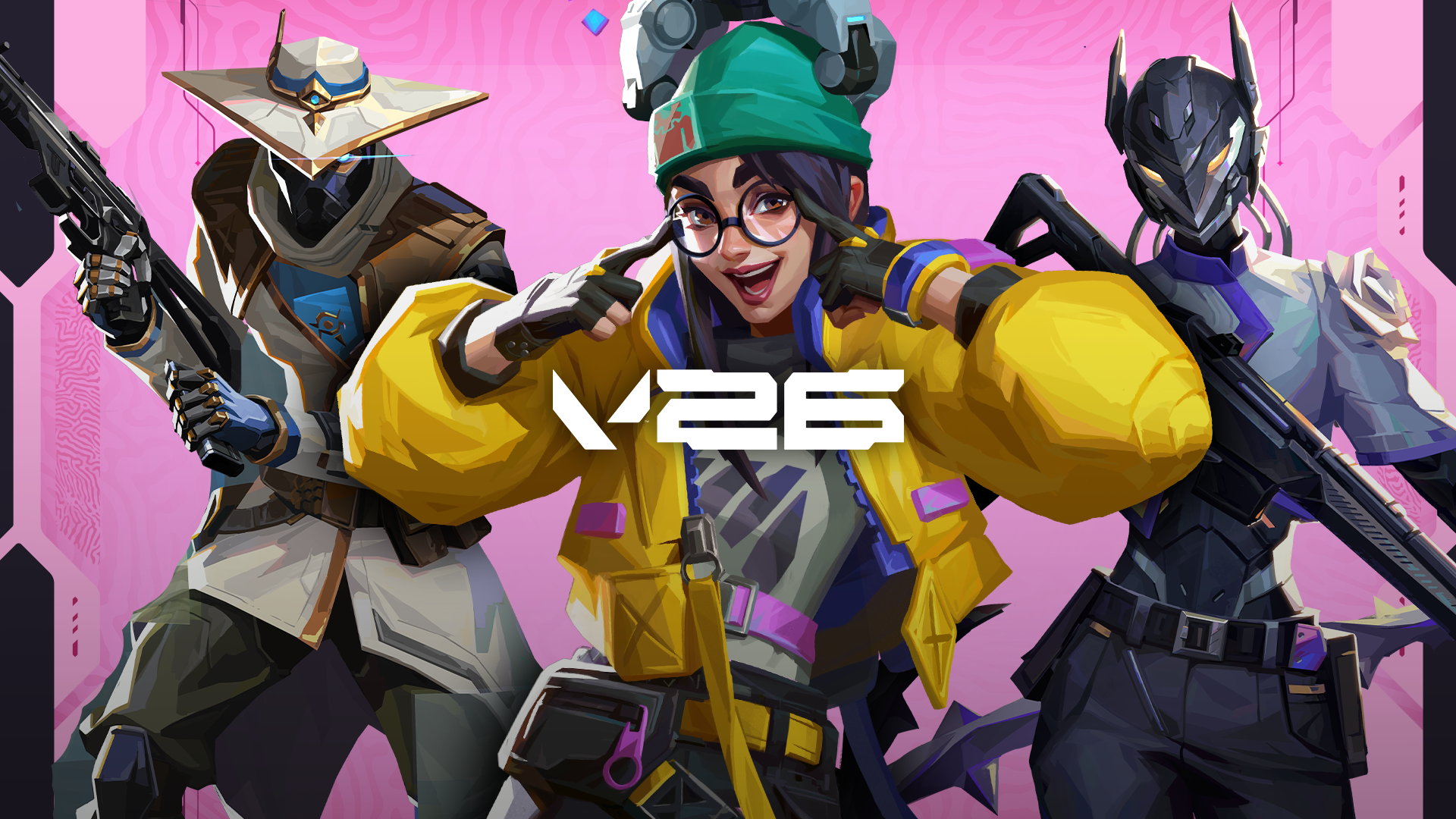
At a glance
- Genre
- 5v5 tactical shooter (FPS)
- Platform
- Windows PC
- Price model
- Free to play; optional purchases for cosmetics and some agents
- Current version
- V26 Act 6, Patch 13.10 (November 2026)
- Turkish support
- Official site has a Turkish version; an Istanbul server exists. Text language is set in Settings > General; the full language list is not officially published
What VALORANT is and where it stands in 2026
#Two teams of five face off. The attackers try to plant a bomb (the Spike) and the defenders try to stop them. Every player picks an agent with unique abilities. Using abilities at the right moment matters as much as aim.
The game moves in periods called Acts. In November 2026 the current period is V26 Act 6 (13 October 2026 to 5 January 2027); the latest patch notes are 13.10. According to the 13.08 patch notes, the Act 6 map pool is Abyss, Bind, Corrode, Haven, Lotus, Summit and Sunset; Split and Ascent left the pool. The pool can change every Act; this list is dated 15 November 2026.
In short, the game rewards good decisions more than pure aim. To win a round you usually need to know who is where, use abilities together with teammates and manage the bomb timer well. So in the first days a new player should invest in map knowledge and communication more than in aim.
Before you start: account, install, anti-cheat
#According to Riot's official system requirements page, the game needs 64-bit Windows 10 (build 19041 or later) or Windows 11, a CPU with SSE 4.2 or AVX support, 4 GB of RAM and 1 GB of video memory. There are three performance levels, collected in the table below. The page has a Turkish version and the server list includes Istanbul (alongside Frankfurt, Paris, Stockholm, London, Warsaw, Madrid and Bahrain).
| Level | CPU | Graphics card |
|---|---|---|
| Minimum (30 FPS) | Intel Core i3-540 or AMD Athlon 200GE | Intel HD 4000 or Radeon R5 220 |
| Recommended (60 FPS) | Intel Core i3-4150 or AMD Ryzen 3 1200 | GeForce GT 730 or Radeon R7 240 |
| High (144+ FPS) | Intel Core i5-9400F or AMD Ryzen 5 2600X | GeForce GTX 1050 Ti, Radeon R7 370 or Intel Arc A310 |
- Windows 10 or 11 is required; on Windows 11, TPM 2.0 and Secure Boot must be on.
- The anti-cheat software Vanguard installs with the game. It starts with your PC; this is normal.
- Vanguard may ask for TPM 2.0, Secure Boot, Memory Integrity (HVCI) or IOMMU. You may need to enable these in the BIOS.
- For server choice, check the in-game server list; the official list includes Istanbul. Pick the server with the lowest ping.
Setting up TPM 2.0 and Secure Boot for Vanguard
#According to Riot's Vanguard requirements article, Vanguard may ask for TPM 2.0, Secure Boot, Memory Integrity (HVCI/VBS) and IOMMU. On Windows 11, TPM 2.0 and UEFI Secure Boot are required anyway. A missing setting shows up as an error on the Vanguard tray icon (VGTray). The order below follows Riot's TPM and Secure Boot guides.
- Check the status
In Windows press Win+R and type msinfo32; look at the 'Secure Boot State' and 'BIOS Mode' lines. For TPM run tpm.msc from Win+R. Per Riot, TPM 1.2 is not supported; it must be version 2.0.
- Turn TPM on in the BIOS
Enter the BIOS with Del, F2 or F10 at startup (the Windows route Settings > Recovery > Advanced startup > Troubleshoot > Advanced options > UEFI Firmware Settings also works). Set PTT on Intel or fTPM on AMD to Enabled.
- Convert the disk to GPT (if needed)
If BIOS Mode says 'Legacy', Secure Boot cannot be enabled. In an administrator command prompt run mbr2gpt /validate /allowFullOS first and, if it passes, mbr2gpt /convert /allowFullOS. Back up important files first.
- Enable UEFI and Secure Boot
In the BIOS turn CSM off, set boot mode to UEFI and set Secure Boot to Enabled on the Boot tab. If the keys are empty, use 'Restore Factory Keys'.
- Restart and verify
Back in Windows, confirm Secure Boot is On in msinfo32 and TPM is version 2.0 in tpm.msc; then open the Riot Client and start the game.
Your first matches step by step
#- Install the game and create the account
Create your Riot account, download the client, finish the Vanguard install and restart your PC.
- Try the tutorial and the Range
Learn movement and the weapon in the tutorial. In the Range you test your settings on bots.
- Play Unrated to learn
This mode does not cost you rank. Learn maps and agents here.
- Try the quick mode Swiftplay
Shorter matches, good for warming up or experimenting.
- Reach account level 20
Competitive needs account level 20. Until then, level up in unrated modes.
Choosing an agent: a table for the first weeks
#There are four roles in VALORANT: Duelist, Sentinel, Controller and Initiator. The agent count keeps growing, so the current number is shown in the in-game agent list. The free starter agents on a new account are Brimstone, Jett, Phoenix, Sage and Sova. Other agents unlock with Kingdom Credits (KC), VP or events.
| Agent | Role | Why it is easy |
|---|---|---|
| Phoenix | Duelist | Can heal himself, and his flash helps his own plays |
| Jett | Duelist | Mobile; easy to escape fights, but demands aim |
| Sage | Sentinel | Heals and blocks paths with a wall; helps the team right away |
| Sova | Initiator | His recon dart shows enemy positions; teaches info gathering |
| Brimstone | Controller | Smokes are simple to place; teaches team play |
Understanding roles is worth more than memorizing agents one by one. The table below is based on the role information on Riot's official agent pages. The roles of newly added agents (for example Hush, Miks, Tejo, Veto) are not in the table; the current list is on the official agent page.
| Role | Job | Examples from the official pages | For beginners |
|---|---|---|---|
| Duelist | Takes first contact, creates duels | Jett, Reyna | Phoenix or Jett |
| Initiator | Gathers information, weakens enemies to open entry | Sova, Skye | Sova |
| Sentinel | Locks down an area, guards the back | Sage, Killjoy | Sage |
| Controller | Cuts vision with smokes and blockers, opens space | Omen, Brimstone | Brimstone |
Core mechanics: rounds, economy, information
#Each round starts with a buy phase: you spend credits on weapons, armor and abilities. Sides swap after 12 rounds; the first team to win 13 takes the match. Quick modes such as Spike Rush use different rules: per Riot's support page it is a best of 7, sides swap after 3 rounds and every attacker carries a Spike.
- The bomb: If attackers plant it, defenders must defuse it before time runs out.
- Economy: You earn credits even when you lose rounds. Buying cheap weapons together as a team to start the next round strong is a common method.
- Information: Watch the minimap, avoid making noise, listen to teammates' calls.
The most lasting principle for new players is this: stay near your teammates instead of diving alone. A trade kill, killing the enemy who just killed your teammate, is worth more than a hero play.
| Term | Meaning |
|---|---|
| Eco | A round played with cheap weapons or none to save credits |
| Force buy | Buying the best you can afford even when credits are low |
| Trade | Killing the enemy who just killed your teammate |
| Flank | Circling around to the enemy's back |
| Peek | Stepping out of cover briefly to get info or shoot |
| Clutch | Winning a round alone after your teammates have died |
| Rotate | The team moving from one area to another |
Economy: eco, force buy and full buy
#Riot's support pages do not publish the credit amounts as a table; the figures in this section are compiled from community guides that agree with each other and may change with patches. The prices in the in-game buy menu are always correct.
| Situation | Credits |
|---|---|
| Start of each half | 800 |
| Round win | 3000 |
| Round loss (1st / 2nd / 3rd and later in a row) | 1900 / 2400 / 2900 |
| Kill (less for some abilities and shotguns) | 200 |
| Planting the Spike | 300 |
| Credit cap | 9000 |
The loss streak counter resets with a win. So even after losing two rounds you have credits saved for the next one; the economy decision is made by the team before the round.
| Buy type | What it means | When |
|---|---|---|
| Eco | You spend almost nothing; play with the Classic and save credits | While saving for a full buy next round |
| Force buy | You buy armor and a cheap weapon with what you have | When losing would end the half or the enemy is on eco |
| Full buy | Rifle, armor and all abilities | When you can afford it, as a team at the same time |
- Make the same call as a team: if one person full-buys and four eco, the one who bought is alone.
- Look ahead: since the loss streak pays 1900-2400-2900, one eco round often strengthens the next.
- Save your weapon: if you know the round is lost, keep your gun; carrying it over zeroes your buy cost.
Settings: starting values
#The values below are not official; they are commonly suggested starting points. Try them in the Range and change them if they feel off.
| Setting | Starting suggestion |
|---|---|
| Mouse DPI | 400-800 |
| In-game sensitivity | Keep it low; at 800 DPI start around 0.3-0.5 |
| Crosshair color | A color that stands out from floors and walls (cyan or green) |
| Crosshair size | Small, with an outline; the center dot off or very small |
| Minimap | Fixed or rotating; try both and keep what suits you |
| Audio | Wear headphones; footsteps matter |
Weapon classes, crosshair and sensitivity (eDPI)
#Weapon prices below come from community sources and may change with patches; check the exact price in the in-game buy menu. The beginner logic is simple: fast weapons up close, accurate weapons at range.
| Class | Examples (credits) | Use |
|---|---|---|
| Pistol | Classic (free), Ghost (500), Sheriff (800) | Eco rounds; the Ghost is a safe first buy |
| SMG | Stinger (1100), Spectre (1600) | Half buy; close and mid range |
| Shotgun | Bucky (850), Judge (1850) | Tight corners and close range |
| Rifle | Bulldog (2050), Guardian (2250), Phantom (2900), Vandal (2900) | Main weapon; the Phantom is quieter, the Vandal deals more damage per shot |
| Sniper | Marshal (950), Outlaw (2400), Operator (4700) | Long angles; the Operator is expensive, try the Marshal first |
| Heavy | Ares (1600), Odin (3200) | Suppressive fire; not recommended for new players |
Crosshair: build your own look in Settings > Crosshair. Pick a color that stands out from the floor (cyan or green), keep it small and turn the outline on. Copying someone else's crosshair code is fine, but keep it unchanged for a week.
Sensitivity logic: your real sensitivity is the mouse DPI multiplied by the in-game sensitivity; this is called eDPI. Example: 800 DPI and 0.4 sensitivity give 320 eDPI. You can reach the same eDPI on another mouse (for example 1600 DPI and 0.2). Low eDPI favors precise aim, high eDPI favors fast turning; the balance is up to you.
- If you have enough mousepad space try a low eDPI; raise it a bit if you want an easy turn to the screen edge.
- Simple test: in the Range, aim at a bot's head 20 times; if most land, the setting is good.
- Play at least a week after every change.
Ranked system and rank table
#Competitive has 9 ranks; all but Radiant have 3 tiers. You get your rank after 5 placement matches, and the starting rank can be at most Ascendant 1. You gain and lose Rank Rating (RR): 100 RR per rank up to Ascendant. Immortal and Radiant have no 100 RR cap.
| Group | Ranks |
|---|---|
| Starting | Iron, Bronze, Silver |
| Middle | Gold, Platinum, Diamond |
| Top | Ascendant, Immortal, Radiant |
- Rank does not decay (there is no rank decay).
- Party limits: Iron and Bronze players can queue with up to Silver, Silver with up to Gold, Gold with up to Platinum; Platinum and above with at most 1 tier of difference.
- Act Rank is set by your best ranked win in that Act.
- A system called Map Rating has been added in the ranked patch notes; it roughly shows which map you perform better on.
Common beginner mistakes
#- Jumping into ranked unprepared; play unrated first and learn the maps.
- Trying to buy the most expensive weapon every round and ignoring the economy.
- Switching agents often without knowing when to use their abilities.
- Pushing alone, cut off from the team.
- Going silent after dying; short, clear info is the most valuable thing.
- Queuing straight after a bad match; take a short break.
- Three days a week
Do a 15-minute aim warm-up in the Range.
- After every match
Note one mistake and fix only that in your next match.
- Every week
Pick one map and play it with a single agent.
- Every month
Review your settings, but do not change too much.
Account safety and behavior rules
#Protecting your account matters more than your rank. Turn on two-step verification and do not share your password with other sites.
- Do not give login details to unofficial 'free VP' or 'free skin' sites.
- Watching a stream to learn enemy positions (stream sniping), using instalock tools and rank manipulation bring penalties.
- Be respectful to teammates; report and mute toxic chat.
- Playing on another account against lower-ranked players (smurfing) is unfair; do not do it.
Frequently asked questions
#Is VALORANT free?
Yes. The game is free; purchases are for cosmetics or faster agent unlocks.
When can I play ranked?
Once your account level reaches 20.
Can my rank decay?
There is no rank decay, but you lose RR when you lose.
Which agent should I start with?
Pick one of the starter agents; Sage or Sova help the team easily.
What if my PC is weak?
It runs on low settings with 4 GB of RAM, but if TPM and Secure Boot are requested you need a BIOS change.
Can I play on a phone?
No; this guide is for Windows PC.
What is the difference between Unrated and Swiftplay?
Neither costs you rank. Unrated is a full-length match; Swiftplay is shorter and faster. Unrated suits learning maps, Swiftplay suits a quick warm-up.
Sources
This guide was written for this site after reviewing the sources below.
- VALORANT Patch Notes 13.10playvalorant.com
- VALORANT Patch Notes 13.08playvalorant.com
- Riot Support: VALORANT system requirementsplayvalorant.com
- VALORANT Competitive Mode FAQsupport-valorant.riotgames.com
- Vanguard Security Requirements (Riot)support-valorant.riotgames.com
- Riot Support: TPM 2.0support-valorant.riotgames.com
- Riot Support: Secure Bootsupport-valorant.riotgames.com
- Dignitas: VALORANT economy guidedignitas.gg
Free resources for more
External sites; their content belongs to their owners.
- Riot Games Destek: VALORANT — VALORANT (official)
Official publisher page for VALORANT: support, announcements or game information. Language: English.
- ProSettings.net — VALORANT (tool)
Free helper tool or stats site for VALORANT. Language: English.
- PCGamingWiki (wiki)
Fixes, settings, display and control details and compatibility notes for PC games. Language: English.
- HowLongToBeat (tool)
Shows the average time to finish games based on player-submitted data. Language: English.
- ProtonDB (tool)
Lists how well Windows games run on Linux (through Proton) using player reports. Language: English.
- Can You RUN It (tool)
Checks whether your PC meets a game's system requirements. Language: English.
- IsThereAnyDeal (tool)
Compares PC game prices across many stores and shows historical lows. Language: English.